


Solvision’s Free Business Invoicing Solutions: Easy and Efficient Tools for April 2025

In the fast-paced business world, maintaining streamlined and accurate invoicing is more pertinent than ever. Businesses, whether small startups or established corporations, demand tools that simplify invoicing processes without breaking the bank. That’s where Solvision’s Free Business Invoicing Solutions step in as the ultimate answer for invoicing—remarkably easy, efficient, and completely free.
Why Choose Solvision’s Free Business Invoicing Solutions?
When it comes to invoicing tools, there’s no shortage of options. So, why should you prioritize Solvision? Because it offers:
Free Solutions – Unlike many platforms that require a subscription fee or charge per invoice, Solvision provides businesses with free access to invoicing tools, with no hidden charges.
Ease of Use – Solvision prioritizes simplicity, making its software intuitive and user-friendly for individuals who aren’t accounting experts.
Advanced Features – From automated reminders to tax calculations and customizable templates, the tool goes far beyond basic invoicing.
Cloud Accessibility – With cloud-based functionality, you can access your invoicing tools from anywhere and on any device.
Scalability – Whether you’re a freelancer, small-scale enterprise, or a growing company, Solvision’s software scales with you, ensuring uninterrupted operations.
Key Features of Solvision’s Free Business Invoicing Software
Solvision provides robust and versatile features that make invoicing a hassle-free experience for businesses of any size. Below are the standout features:
1. Customizable Invoice Templates
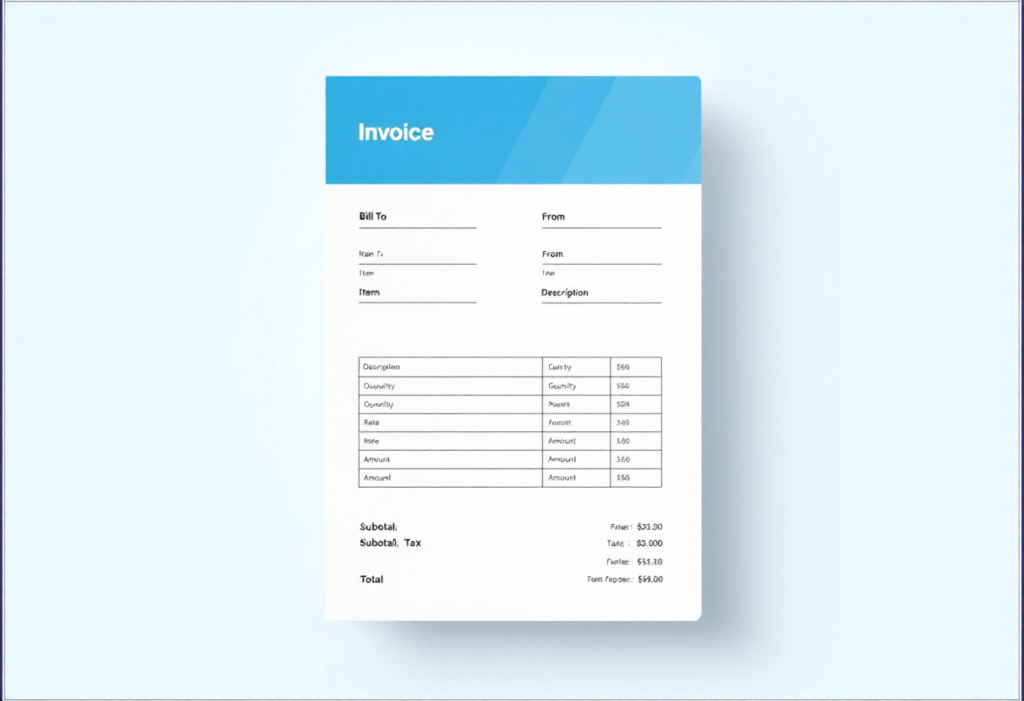
Presentation matters when it comes to invoices. Solvision offers a wide range of professional, clean, and customizable templates to fit your brand identity. Add your company’s logo, change color schemes, and include personalized notes for clients effortlessly.
2. Automated Invoice Generation
Gone are the days of creating each invoice manually. With Solvision, you can use pre-saved customer data, item lists, and pricing information to automatically generate invoices in seconds. This saves time and ensures accuracy.
3. Tax and Discount Calculation
Manage taxes and discounts easily with Solvision’s built-in features. The tool supports different tax systems and allows you to apply custom discounts, ensuring compliance and better client satisfaction.
4. Multiple Payment Methods
Ease your client’s payment experience by integrating multiple options, including credit cards, bank transfers, and digital wallets. Solvision provides seamless integration with popular payment gateways.
5. Automated Payment Reminders
Late payments are an inevitable part of business life. Solvision helps tackle this issue by sending automated reminders to your clients about pending invoices. Customizable schedules ensure polite yet firm payment follow-ups.
6. Expense Tracking and Reporting
Track business expenses alongside invoices with Solvision. Generate detailed reports to identify trends, monitor cash flow, and make informed financial decisions.
7. Mobile-Friendly Access
Stay connected to your invoicing on the go. Solvision’s software is mobile-friendly, ensuring seamless operations whether you’re at the office, at home, or traveling.
8. Integration with Popular Tools
Solvision can integrate with accounting software (like QuickBooks or Xero), CRMs, or project management platforms for a streamlined workflow.

Benefits of Solvision’s Free Business Invoicing Solutions
Switching to Solvision’s invoicing tools can lead to significant advantages:
1. Save Money
As a free solution, Solvision eliminates the need for a dedicated invoicing budget. For small businesses and freelancers, this can translate directly into savings.
2. Save Time
Manual invoicing is a time-consuming process. Solvision automates repetitive tasks, allowing you to focus on core business activities.
3. Reduce Errors
Automated calculations ensure that there are no discrepancies in figures, reducing the risks of invoicing errors or disputes with clients.
4. Enhance Client Experience
With well-designed templates, automated reminders, and multiple payment options, Solvision enhances how clients perceive your professionalism and business acumen.
5. Ensure Scalability
Whether you’re handling five invoices or five hundred, Solvision’s tools can accommodate your requirements effortlessly without additional costs.
Getting Started: How to Use Solvision’s Free Invoicing Software
Starting with Solvision’s free tools is incredibly simple, thanks to its intuitive design. Here’s a step-by-step guide:
Sign Up for Free
Visit Solvision’s official website and create an account for free. Basic details like your email and business name are enough to get started.
Personalize Your Profile
Once logged in, add details like your business logo, contact information, and tax number.
Select a Template
Browse the available templates, customize the design, and save it as your default.
Input Client Data
Save your client details into the database, including names, emails, payment preferences, and billing addresses.
Generate Invoices
Using pre-saved templates and client data, create and send invoices quickly.
Monitor and Follow-Up
Use the tool’s dashboard to track paid and unpaid invoices, send reminders, and generate financial reports.
Real-World Application: Case Studies
Freelance Writer Saves Time
A freelance writer with over 15 clients switched to Solvision’s invoicing tool. By using the automated invoice generation feature, the writer reduced invoicing time by 70%. With automated reminders, payments were prompt, solving long-standing issues with late payments.
Small E-Commerce Business Streamlines Operations
A small online store selling handmade goods used Solvision to address invoicing inefficiencies. The ability to integrate payment methods and track expenses allowed the store to improve cash flow visibility and keep records organized during tax season.
Conclusion
Invoicing is a vital but often overlooked aspect of running a successful business. Using a reliable and efficient tool like Solvision’s Free Business Invoicing Solutions can make all the difference. Whether you’re a solo entrepreneur or the head of an expanding team, Solvision equips you with everything you need to simplify invoicing, save time, and reduce costs—all while maintaining accuracy and professionalism.
Discover how Solvision can transform your business by signing up today. With no investment required and a host of features at your disposal, it’s the ideal solution for businesses in April 2025 and beyond.
FAQs
1. Is Solvision’s free invoicing tool truly free?
Yes! Solvision offers its basic invoicing tools completely free of charge. There are no hidden fees or subscription requirements. Advanced features may be available in premium tiers, but most of the general tools businesses need are included in the free version.
2. Can Solvision handle international clients and currencies?
Absolutely. Solvision supports multiple currencies and tax systems, making it an ideal choice for businesses with international clients. Whether you’re invoicing in USD, EUR, or any other currency, the software ensures accurate conversions and compliant tax calculations.
3. Does Solvision have mobile app support?
Yes. Solvision offers mobile accessibility, either through its dedicated app or a mobile-friendly web interface. This ensures you can manage your invoicing on-the-go with full functionality.
4. Is my business data secure with Solvision?
Security is a top priority for Solvision. All data is encrypted using advanced security protocols, and they regularly update their systems to counter potential threats. You can rest assured that your invoicing and financial data are in safe hands.
5. Can I customize my invoices in Solvision?
Yes! Solvision allows full customization of invoice templates, including adding a logo, changing colors, and tailoring notes. This ensures your invoices maintain your brand identity and leave a professional impression on your clients.