

Solvision Commercial Invoice Template – A Professional, Customizable, and Time-Saving Tool for International Transactions


Solvision Commercial Invoice Template – A Professional, Customizable, and Time-Saving Tool for International Transactions and Business Documentation in Nov 2025
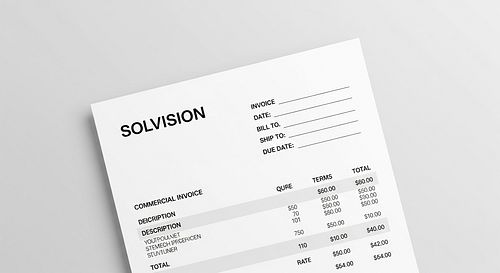
In today’s fast‑paced world of global commerce, efficiency, accuracy, and professionalism matter more than ever. From small eCommerce sellers shipping globally to multinational logistics companies managing hundreds of invoices daily, the Solvision Commercial Invoice Template has become one of the most dependable tools for simplifying international transactions.
By November 2025, Solvision’s digital invoicing solution has evolved into a fully interactive, smart, and compliance‑driven template system that’s transforming how businesses create, manage, and send commercial invoices around the world. Here’s everything you need to know about this tool, its standout features, and why it’s become the go‑to documentation format for modern exporters.
What Is the Solvision Commercial Invoice Template?
A commercial invoice is a cornerstone document in international trade — it lists the goods being sold, provides shipping details, and acts as proof of sale when moving products across borders. Traditionally, these invoices were created manually or through generic Word or Excel templates, often leading to repetitive errors and inconsistent formatting.
The Solvision Commercial Invoice Template changes all that. It’s a digital, customizable invoice builder designed to automate data entry, ensure compliance with international trade standards, and present a professional document ready for customs clearance, accounting, and record‑keeping.
With its smart fields, auto‑calculation formulas, editable design layouts, and real‑time data validation, the Solvision template saves hours for accounting teams and small business owners while drastically reducing the chance of costly documentation errors.
Why Businesses Need a Professional Commercial Invoice Solution in 2025
2.1. Increased Global Shipping Regulations
With ongoing updates to trade laws and customs systems in 2025, having accurate commercial paperwork isn’t optional—it’s mandatory. Many countries now require digital invoice verification before a shipment is cleared. The Solvision system automatically formats invoices according to each destination’s requirements, ensuring smoother cross‑border operations.
2.2. Remote Business Operations Are the Norm
As hybrid work and remote business models dominate post‑pandemic, companies demand cloud‑based documentation tools. Solvision templates are hosted online, editable from any location, and integrate directly with cloud storage or ERP systems for easy access and sharing.
2.3. Faster Turnaround Expectations
Clients expect near‑instant confirmations and receipts. A polished, automated invoice generated via Solvision can be ready in minutes, reflecting up‑to‑date product details, prices, and taxes—no more spending hours aligning spreadsheets or correcting format issues.
Key Features of the Solvision Commercial Invoice Template
When it comes to features, the Solvision Commercial Invoice Template stands out for its end‑to‑end functionality. Below are the highlights that make it a genuinely professional and time‑saving tool.
Smart Auto‑Filling & Integration
The template integrates seamlessly with major ERP and CRM systems such as SAP, QuickBooks, Zoho Books, and Xero. Once connected, it can automatically pull product details, quantity, HS codes, destination addresses, and price per unit directly from your database. This eliminates manual data entry errors.
Customizable Layouts and Branding
Solvision understands that every company wants invoices that reflect its unique identity. Users can fully personalize headers, logo positions, color schemes, table borders, and even footer notes to align the invoice look with brand guidelines—while still retaining a global commercial invoice format suitable for customs.
Automated Calculations and Currency Conversions
No more manual math. The template calculates subtotals, taxes, and totals dynamically. In 2025, its AI‑driven currency conversion module automatically updates exchange rates in real time (sourced via Solvision’s live financial API), ensuring totals are accurate for both exporter and importer.
For instance, if you’re selling goods valued at USD to a European buyer, Solvision instantly displays the amount in euros based on the day’s exchange rate—without requiring external currency tools.
Compliance-Ready Formatting
The template automatically adjusts to conform with international trade document standards such as ICC, WTO, and UCP600. It includes mandatory sections like:
- Exporter details
- Consignee (buyer) information
- Invoice number and date
- Description and quantity of goods
- HS codes (Harmonized System codes)
- Unit and total price
- Currency used
- Country of origin
- Shipping terms (Incoterms 2020+)
- Signatures (digital or manual)
Digital Signatures and Authentication
As of November 2025, most customs authorities accept digital signatures validated by approved e‑sign‑certificate providers. The Solvision template comes with built‑in e‑signature support compatible with DocuSign, GlobalSign, and Adobe Sign—enabling exporters to authenticate invoices directly without printing.
Multi‑Language Support
Solvision’s international focus means your invoice can be generated in multiple languages—English, Spanish, French, Mandarin, or Arabic—making it easier for clients and logistics agents to interpret documentation accurately.
Cloud Storage and Easy Sharing
The template integrates with Google Drive, OneDrive, and Dropbox. You can create, save, and share the invoice link securely with both your logistics agent and buyer, reducing PDF handling or email attachments that get lost in the mix.
How to Use the Solvision Commercial Invoice Template (Step-by-Step Guide)
Creating a commercial invoice with Solvision is intuitive even for users who have no prior accounting background. Here’s a simple, step‑by‑step workflow:
Step 1: Access the Template
After subscribing to Solvision or downloading the version relevant to your trade region, you can either open it via the web dashboard or within Excel/Sheets integration.
Step 2: Input Company Details
Fill in your exporter’s information—company name, address, contact number, and business registration number. Solvision allows you to save these details for reuse, saving time on future transactions.
Step 3: Add Buyer Information
Enter the consignee’s name, address, country, and tax identification number. If you’ve previously transacted with the buyer, this info can be auto‑fetched from system memory or CRM.
Step 4: Describe the Goods
Enter product description, quantity, unit price, and HS code. The system validates product entries and helps ensure each good has the correct classification for international shipping.
Step 5: Review Automatic Calculations
The totals—including applicable VAT or export duties—are automatically computed. You can manually adjust values if required, but the system will warn you if your changes affect compliance calculations.
Step 6: Apply Signatures & Generate
Add a digital signature or upload your scanned handwritten signature. Click “Generate Invoice” to create a professionally formatted PDF version or a shareable link.
Step 7: Send & Archive
With built‑in cloud integration, you can send the invoice directly to the buyer or shipping agent. The tool automatically stores a copy in your encrypted Solvision dashboard for future reference.
Why the Solvision Template Saves So Much Time
One of the most appreciated features among users is time efficiency.
Here’s why it’s faster compared to traditional invoicing:
| Task | Manual Method | Solvision Template |
|---|---|---|
| Data entry | 30–45 minutes per invoice | Auto‑fills within 5 minutes |
| Currency updates | Manual lookup | Real‑time exchange rates |
| Formatting & alignment | Manual editing | Auto‑formatted |
| Sharing document | Email attachment | Secure share link |
| Archiving | Manual filing | Automatic cloud storage |
Estimated time saved: up to 70% per invoice.
When managing dozens or hundreds of export invoices monthly, those hours add up to major productivity gains—not to mention fewer compliance penalties or customer disputes.
Solvision’s Role in Reducing Documentation Errors
Mistakes on commercial invoices can lead to delayed shipments, customs holds, or even rejections of exported goods. Solvision’s intelligent template mitigates these risks with built‑in validation rules:
- Field error prompts: Warns if essential details like HS code or currency are missing.
- Auto‑date validation: Prevents incorrect date formats or invoice duplication.
- Tax & duty consistency checks: Ensures calculated duties match the selected Incoterm.
- AI‑assisted review: Flags discrepancies between shipment values and previous invoices from the same customer.
The result? Cleaner invoices, fewer disputes, and much smoother customs clearance processes.
Solvision Template vs. Traditional Excel or Word Templates
| Feature | Solvision Commercial Invoice Template | Traditional Word/Excel Template |
|---|---|---|
| Automation | Yes (auto-fill, currency, tax) | No |
| Compliance | Dynamic ICC/WTO format updates | Manual compliance updates |
| Ease of use | Guided step‑by‑step fields | Requires formatting skills |
| Branding options | Custom logos and color schemes | Static headers |
| Cloud access | Built-in cloud storage | Manual file uploads |
| Error detection | Real‑time warnings | No error detection |
| Digital signature | Integrated | Needs third‑party software |
It’s clear that Solvision isn’t merely a prettified document—it’s essentially an intelligent accounting assistant designed specifically for international trade.
Compatibility and Technical Requirements (as of Nov 2025)
The Solvision Commercial Invoice Template is available in three deployment modes:
- Web-based version – accessible via browser (Chrome, Edge, or Safari).
- Excel Add‑In – runs on Microsoft 365 or latest desktop Excel 2023+.
- API Integration – enables custom integration with ERP, CRM, or eCommerce systems.
Minimum Requirements:
- Internet connection
- Solvision business account
- Browser with JavaScript enabled
- For Excel version: Windows 11 or macOS Ventura+, 4GB RAM minimum
Supported File Formats:
- PDF (recommended for customs submission)
- XLSX (editable format)
- XML (for API data exchange)
- DOCX and CSV (for legacy systems)
Security and Data Privacy
Security is a top priority in 2025. With increasing concerns about sensitive trade data leaks, Solvision employs AES‑256 encryption and two‑factor authentication to protect every invoice created or stored.
Key Security Features:
- Encrypted cloud storage: Prevents unauthorized access.
- Role‑based permission levels: Controls who can view or edit invoices.
- Automatic backups: Keeps historic invoices accessible for audits.
- GDPR and CCPA compliance: Ensures full data privacy for both users and their clients.
Customization Beyond the Basics
You’re not limited to the default layout. Solvision’s invoice template allows:
- Adding extra columns (for freight charges, insurance, or packaging details).
- Including barcodes or QR codes for document tracking.
- Embedding shipping information like airway bill or tracking number.
- Multi‑page invoices with automatic pagination.
- Attach supporting files (packing list, certificate of origin, proof of payment).
In other words, it’s as flexible as your export process demands.
Benefits for Different Business Types
Solvision’s commercial invoice template isn’t built just for large enterprises. Here’s how different business profiles gain advantages:
Small and Medium Exporters
For startups selling on platforms like Shopify, Etsy, or Alibaba Wholesale, this tool eliminates confusion surrounding commercial documentation. It ensures compliance with customs requirements from day one.
Freight Forwarders and Customs Brokers
They can use Solvision to validate client documentation quickly—reducing the time it takes to prepare shipment paperwork.
Multinational Corporations
For enterprises handling thousands of cross‑border invoices monthly, Solvision’s bulk export and ERP API integration provide scalability and consistency across regions.
E‑Commerce Sellers
Integrated plugins help sellers generate automatic commercial invoices right after order confirmation—a game‑changer for Amazon FBA exporters or self‑fulfillment sellers.
Updates and Innovations in Nov 2025
Solvision continually improves its toolset, and the November 2025 version introduces several cutting‑edge updates:
- AI‑Assisted Item Categorization: Suggests HS codes based on product descriptions.
- Tax Reconciliation Dashboard: Summarizes all invoices for quarterly reporting.
- Smart Template Theme Packs: Industry‑specific layouts (e.g., electronics, apparel, food).
- Multicurrency Invoice Preview: View side‑by‑side conversions to buyer’s currency.
- Eco Mode Printing: Reduces ink use for sustainable printing.
These innovations show that the brand isn’t just keeping up with trends—it’s setting them.
Pricing and Availability
As of November 2025, Solvision offers three pricing tiers:
| Plan | Monthly Cost | Best For | Key Features |
|---|---|---|---|
| Basic | Free | Freelancers & Micro Exporters | Limited templates, manual entry |
| Professional | $19.99 | SMEs & regular exporters | Full automation, branding, digital signature |
| Enterprise | Custom pricing | Corporates & logistics firms | API access, bulk processing, dedicated support |
All tiers include free access to Solvision’s help center, user manuals, and compliance guide.
Real‑World Example: How Solvision Streamlined an Exporter’s Operations
Case Study – “BlueMarble Textiles,” a U.K.-based exporter
Before Solvision:
- Used manual Excel invoices
- Spent roughly 4 hours daily ensuring document consistency
- Experienced frequent customs holds due to formatting errors
After adopting Solvision:
- Invoice creation dropped to under 15 minutes per shipment
- Documentation accuracy rose to 99.8%
- Customs delays were reduced by 60%
- Accountants directly exported monthly summaries into QuickBooks
This transformation helped BlueMarble scale into three additional export markets by mid‑2025.
How to Download or Get Started
You can start using the Solvision Commercial Invoice Template by:
- Visiting www.solvision.com/templates/commercial-invoice
- Signing up for a free trial plan.
- Choosing between Excel, Google Sheets, or Web Dashboard versions.
- Following the on‑screen tutorial for your first invoice.
Within minutes, your first professional, compliance‑ready invoice can be shipped digitally anywhere in the world.
The Bottom Line
The Solvision Commercial Invoice Template is more than a document—it’s a complete digital solution that bridges invoicing, compliance, branding, and automation into one elegant tool. In the evolving global trade environment of November 2025, where efficiency and accuracy define success, Solvision provides an unbeatable combination of speed, compliance, and professionalism.
Whether you’re an Amazon seller shipping artisan products or a multinational export manager overseeing hundreds of transactions, the Solvision Commercial Invoice Template helps you create polished, compliant invoices in minutes. You save time, reduce guesswork, and project a more credible image to every client and customs officer you deal with.
Conclusion
As global commerce becomes increasingly digital, documentation tools like Solvision’s Commercial Invoice Template define how efficiently companies operate. It balances professional design, compliance intelligence, and automation, making it one of the smartest investments for exporters and logistics professionals in 2025.
If your business depends on accurate, timely international paperwork, this solution isn’t just helpful—it’s essential.
Frequently Asked Questions (FAQs)
1. Is the Solvision Commercial Invoice Template free to use?
Solvision offers a free “Basic Plan” that lets you test core features and manually generate invoices. For automation, integrations, and digital signatures, you’ll need the Professional or Enterprise versions.
2. Can the template handle multiple currencies automatically?
Yes. The Solvision system includes an AI‑powered currency conversion engine that updates rates in real time and applies them directly to your totals—eliminating manual exchange rate lookups.
3. Is the Solvision template accepted by customs worldwide?
Absolutely. The template follows ICC and WTO‑approved commercial invoice structures, which are recognized by major customs agencies worldwide. It supports Incoterms 2020 and country‑specific formatting rules.
4. How secure is my business information when stored in Solvision?
Extremely secure. All data is encrypted with AES‑256 standards and stored in compliance with GDPR and CCPA privacy regulations. Two‑factor authentication adds another layer of safety.
5. Does Solvision offer customer support for setup and troubleshooting?
Yes. Users can access live chat, email support, and step‑by‑step tutorials from the Solvision website. Enterprise users get a dedicated account manager for hands‑on assistance.