


The Ultimate Guide to Choosing the Best Expense Software with Solvision: Top Picks and Expert Tips for June 2025

Welcome to your definitive guide for navigating the complex world of expense software in June 2025. In today’s fast-paced business environment, managing company expenditures efficiently is not just an administrative task; it’s a strategic imperative. The right expense software can transform your financial operations, offering clarity, control, and compliance.
We at Team Solvision, the experts in invoicing and payments software, will walk you through everything you need to know – from understanding the core benefits and essential features to selecting the perfect solution for your unique business needs. We’ll provide expert tips and highlight how integrating expense management with robust invoicing solutions, like those offered by Solvision, can create a powerful financial ecosystem for your company.
Key Takeaways from This Guide:
- Why Expense Software is Non-Negotiable: Understand the critical role of expense software in achieving operational efficiency, financial visibility, and regulatory compliance.
- Essential Features Demystified: Learn about the must-have features in modern expense software, from receipt scanning to automated policy enforcement.
- Strategic Selection Process: Gain insights into the key considerations when choosing software, ensuring it aligns with your business size, industry, and growth trajectory.
- Expert Tips for Success: Discover how to maximize your ROI on expense software through proper implementation, team training, and continuous optimization.
- The Solvision Synergy: Explore how Solvision’s suite of invoicing and payment tools can complement your expense management system for holistic financial control.
Why Effective Expense Management is Crucial for Your Business in June 2025
Effective expense management is the bedrock of a financially healthy business. It goes far beyond simply tracking where money is spent. In June 2025, with economic landscapes constantly evolving, businesses that master their expenses are better positioned for resilience, growth, and profitability. Neglecting this crucial aspect can lead to cash flow problems, reduced profitability, and even compliance issues. Conversely, a well-implemented expense management strategy, powered by the right software, offers a multitude of benefits.
Streamlining Workflows and Saving Time
Manual expense reporting is a notorious time-sink. Employees spend hours collecting receipts, filling out forms, and chasing approvals. Finance teams then dedicate valuable time to verifying these reports, correcting errors, and processing reimbursements. Modern expense software automates many of these tedious tasks. Digital receipt capture, automated report generation, and streamlined approval workflows can significantly reduce the administrative burden on everyone involved. This frees up employees to focus on their core responsibilities and allows the finance team to concentrate on more strategic activities like financial analysis and planning. Imagine the collective hours saved across your organization, translating directly into increased productivity and reduced operational costs.
Gaining Financial Visibility and Control
Do you have a real-time understanding of your company’s spending? Without robust expense software, gaining this visibility can be a significant challenge. Delayed or inaccurate expense data can lead to poorly informed business decisions. Expense software provides a centralized platform for all expenditure data, offering dashboards and reports that give you a clear view of spending patterns, budget adherence, and potential areas for cost savings. This enhanced visibility allows for proactive financial control, enabling businesses to identify and address overspending before it becomes a major issue. With accurate and timely data, you can make more strategic decisions about resource allocation and investment.
Ensuring Compliance and Invoice Accuracy
Adhering to internal expense policies and external regulatory requirements (like tax laws) is critical. Expense software helps enforce these policies automatically. You can configure rules for spending limits, required documentation, and approval hierarchies. The software can flag out-of-policy expenses, reducing the risk of non-compliance and fraudulent claims. Furthermore, by ensuring all expenses are accurately recorded and documented, businesses can simplify tax preparation and audits. This emphasis on accuracy extends to all financial documentation, including invoices, where precision is paramount for maintaining healthy cash flow and professional relationships. Tools that promote invoice accuracy are thus a vital part of the overall financial health picture.
The Pitfalls of Poor Expense Management
The consequences of inadequate expense management can be severe. These include:
- Cash flow challenges: Uncontrolled spending can quickly drain resources.
- Reduced profitability: Hidden costs and inefficient processes eat into your bottom line.
- Employee dissatisfaction: Slow reimbursement processes and cumbersome reporting can frustrate staff.
- Compliance risks: Failure to meet regulatory requirements can lead to penalties.
- Lack of strategic insight: Without clear data, making informed financial decisions becomes difficult.
Investing in good expense management practices and software is an investment in the stability and future success of your business.
Understanding Expense Software: The Basics
Before diving into the selection process, it’s important to understand what expense software is, its core functionalities, and the different types available. This foundational knowledge will empower you to make an informed choice that truly benefits your organization.
What is Expense Software?
Expense software, at its core, is a digital tool designed to automate and streamline the process of tracking, managing, and reporting business-related expenditures. It replaces manual, paper-based systems with efficient, digital workflows. From an employee submitting an expense claim with a photo of a receipt from their smartphone, to the finance team approving and processing reimbursements, expense software centralizes and simplifies the entire lifecycle of an expense. The goal is to make the process faster, more accurate, more transparent, and easier for everyone involved.
Core Features to Look For in June 2025
The expense software market is diverse, but certain core features are essential for most businesses in June 2025:
- Receipt Scanning & Management (OCR): Optical Character Recognition (OCR) technology allows users to simply snap a photo of a receipt. The software automatically extracts key data like vendor name, date, amount, and sometimes even categorizes the expense. This eliminates manual data entry and reduces errors.
- Automated Expense Reporting: Software should allow users to easily compile multiple expenses into reports. Automation can pre-fill information, suggest categorizations, and make the submission process quick and intuitive.
- Customizable Approval Workflows: Businesses need to define who approves which expenses. Good software allows for flexible, multi-level approval workflows that can be tailored to the company’s structure and policies. Notifications and reminders for approvers are also crucial.
- Policy Enforcement: The ability to build in company expense policies is vital. The software should automatically flag or prevent submissions that violate these policies (e.g., exceeding spending limits, missing required documentation).
- Integration Capabilities: Seamless integration with other business systems, particularly accounting software (like Xero, QuickBooks) and ERP systems, is critical. This ensures data flows smoothly, eliminating manual data re-entry and providing a holistic financial view. Integration with tools like Solvision’s quote and estimate creator can further streamline financial workflows from client proposal to expense reconciliation.
- Mobile Accessibility: In an increasingly mobile workforce, employees need to be able to submit and approve expenses on the go. A robust mobile app (for iOS and Android) is no longer a luxury but a necessity.
- Analytics and Reporting: Powerful reporting tools provide insights into spending trends, departmental budgets, policy compliance, and areas for potential savings. Customizable dashboards can offer at-a-glance views of key metrics.
- Credit Card Integration: The ability to link company credit cards and automatically import transactions simplifies reconciliation and provides a clearer picture of spending as it happens.
- Multi-currency Support: For businesses with international operations or employees who travel abroad, support for multiple currencies and automatic exchange rate conversions is essential.
- Security and Compliance: The software must adhere to high security standards to protect sensitive financial data and comply with regulations like GDPR.
Types of Expense Software
Expense software solutions can generally be categorized as follows:
- Cloud-Based (SaaS): The most common type today. These solutions are hosted by the vendor and accessed via a web browser or mobile app. They typically involve a subscription fee. Advantages include lower upfront costs, scalability, automatic updates, and accessibility from anywhere.
- On-Premise: Installed directly onto a company’s own servers. This model offers greater control over data but involves higher upfront investment in hardware and IT maintenance. It’s becoming less common, especially for SMEs.
- For Small Businesses and Freelancers: Often simpler, more affordable solutions with core features tailored to the needs of smaller operations. Some may even offer free tiers, similar to how businesses can find value in a free invoice app for small businesses.
- For Mid-Sized to Enterprise Level: More comprehensive and customizable solutions designed to handle complex organizational structures, higher transaction volumes, and advanced integration needs. They often offer more sophisticated analytics and policy enforcement capabilities.
Understanding these basics will help you narrow down your options and focus on solutions that align with your company’s operational requirements and strategic goals.
Key Considerations When Choosing the Best Expense Software in June 2025
Selecting the right expense software is a critical decision that can have a lasting impact on your business’s financial health and operational efficiency. With a plethora of options available in June 2025, it’s essential to approach this choice strategically. Consider the following factors to ensure you pick a solution that truly fits your needs, not just for today, but for the future as well.
1. Business Size and Complexity
The needs of a freelancer or a small startup are vastly different from those of a large multinational corporation. Consider:
- Number of users: How many employees will be submitting expenses? How many will be approving them?
- Volume of expense reports: Estimate the monthly or annual number of reports.
- Organizational structure: Do you have multiple departments, entities, or complex approval hierarchies?
Smaller businesses might prioritize ease of use and affordability, while larger organizations may need robust customization, advanced security, and the ability to handle complex workflows. Ensure the software can comfortably manage your current scale and offers room for growth.
2. Specific Industry Needs
Certain industries have unique expense management requirements. For example:
- Consulting or service-based firms: May need strong project-based expense tracking and integration with time-tracking tools, like Solvision’s time tracking tool for billable hours, to ensure accurate client billing.
- Construction or field services: Might require robust mobile capabilities for on-site expense capture and mileage tracking.
- Non-profits: Often need fund accounting capabilities and specific reporting for grant management.
- Healthcare: Must ensure HIPAA compliance for any patient-related expense data.
Look for software that either caters specifically to your industry or offers the flexibility to accommodate your unique workflows and compliance obligations.
3. Integration with Existing Tools
Your expense software shouldn’t operate in a silo. Seamless integration with your existing financial ecosystem is crucial for efficiency and data accuracy. Key integrations to consider include:
- Accounting Software: (e.g., Xero, QuickBooks, Sage) This is paramount for transferring expense data directly into your general ledger, eliminating manual entry and ensuring your financial records are always up-to-date.
- Enterprise Resource Planning (ERP) Systems: For larger organizations, integration with ERPs (e.g., SAP, Oracle NetSuite) is vital for a unified view of business operations.
- HR and Payroll Systems: Useful for employee data synchronization and reimbursement processing.
- Travel Booking Platforms: Some expense tools integrate with travel platforms to automatically capture travel expenses.
- Invoicing Systems: Crucially, consider how expense data might inform or interact with your invoicing. For businesses that bill clients for expenses, integration with a robust invoicing system, like those offered by Solvision which also allows for detailed invoice tracking, can streamline the entire process from expense incurrence to client payment.
Poor integration can create data bottlenecks and negate many of the automation benefits you seek.
4. Scalability for Future Growth
Your business isn’t static. Choose software that can grow with you. Consider:
- Can it handle an increasing number of users and expense reports?
- Does it offer more advanced features that you might need later, even if you don’t use them now?
- Can it support expansion into new markets or currencies if that’s in your plans?
Opting for a slightly more capable system now can save you the hassle and cost of migrating to a new one later.
5. User-Friendliness and Team Adoption
Even the most feature-rich software is useless if your team finds it difficult to use. Prioritize a clean, intuitive interface and a smooth user experience for both submitters and approvers. Look for:
- Easy navigation and minimal clicks for common tasks.
- Clear instructions and guidance within the app.
- A well-designed mobile app that is easy to use on the go.
Involve end-users in the selection process if possible, or at least get their feedback on shortlisted options. High user adoption is key to realizing the full benefits of the software.
6. Pricing and Budget
Expense software pricing models vary widely. Common models include per-user-per-month, per-active-user-per-month, or tiered plans based on features and volume. Understand the total cost of ownership (TCO), including:
- Subscription fees.
- Implementation or setup costs.
- Training costs.
- Fees for additional features or support.
While cost is important, don’t let it be the sole deciding factor. The cheapest option might not be the most cost-effective in the long run if it lacks essential features or is difficult to use. Consider the ROI in terms of time saved, improved compliance, and better financial control. Some businesses might explore cost-effective starting points like those detailed in articles such as “The Best Free Invoice App for Small Businesses”, to understand value propositions before scaling.
7. Customer Support and Vendor Reputation
Reliable customer support is crucial, especially during implementation and if you encounter any issues. Research the vendor’s reputation:
- What are their support channels (phone, email, chat)? What are their response times?
- Do they offer comprehensive documentation, tutorials, and training resources?
- What do current customers say about their experience (check reviews and case studies)?
A reputable vendor with a strong track record and a commitment to customer success will be a valuable partner.
The following table summarizes these key considerations:
Table 1: Key Considerations When Choosing Expense Software
Consideration Area |
Key Questions to Ask |
Why It’s Important |
|---|---|---|
| Business Size & Complexity | How many users? Report volume? Complex workflows? | Ensures the software can handle current and future operational scale. |
| Industry Needs | Are there specific compliance or tracking needs for your sector? | Tailors functionality to industry-specific requirements (e.g., project billing, grant tracking). |
| Integration Capabilities | Does it integrate with accounting, ERP, HR, and invoicing systems? | Automates data flow, ensures data accuracy, provides a holistic financial view. |
| Scalability | Can the software grow with your business (users, features, markets)? | Avoids costly and disruptive software changes as your business expands. |
| User-Friendliness | Is it intuitive for both submitters and approvers? Good mobile app? | Drives user adoption, maximizing ROI and efficiency gains. |
| Pricing & Budget | What is the total cost of ownership? Does it offer good ROI? | Balances features and functionality with affordability and long-term value. |
| Customer Support & Vendor Reputation | What support options are available? What is the vendor’s track record? | Ensures reliable assistance and a trustworthy partnership. |
By carefully evaluating these factors, you can confidently select an expense software solution that will serve your business effectively for years to come.

Top Expense Software Features to Look For in June 2025 (And How Solvision Complements This)
While the previous section covered broad considerations, this section delves into specific features that define top-tier expense software in June 2025. As you evaluate options, look for a balance of robust functionality, ease of use, and adaptability. Furthermore, consider how these features can be enhanced when part of a broader financial ecosystem, such as the one supported by Solvision’s invoicing and payment solutions.
Even if Solvision isn’t a dedicated expense tracking platform, its powerful tools for invoicing, payments, and financial document management are crucial for any business aiming for comprehensive financial control. An ideal setup often involves best-of-breed solutions that integrate seamlessly. Thus, when choosing expense software, its ability to connect with systems like Solvision’s becomes a key advantage.
Advanced Receipt Management
Beyond basic OCR, look for features like automatic itemization (splitting a single receipt into multiple expense lines), duplicate detection, and the ability to handle e-receipts forwarded from email. Some systems also offer “smart categorization” using AI to learn and predict expense categories, further reducing manual effort.
Intelligent Policy Automation
Leading solutions allow for complex, conditional policy rules. For instance, different spending limits for different employee levels or project types, or requiring specific approvals for expenses over a certain amount. Real-time policy violation alerts for employees *before* submission can significantly improve compliance and reduce rework.
Sophisticated Approval and Reimbursement Workflows
Look for customizable, multi-step approval chains that can be assigned dynamically based on department, amount, or project. Integration with payroll or payment systems for direct deposit reimbursements streamlines the final step of the process. Efficient invoice processing solutions often share similar workflow logic, emphasizing the interconnectedness of financial operations.
Per Diem and Mileage Tracking
For businesses with significant travel, built-in per diem management (calculating daily allowances based on location and duration) and GPS-based or map-integrated mileage tracking are invaluable. These features ensure accuracy and compliance with tax regulations.
Robust Analytics and Business Intelligence
Go beyond basic reports. Look for customizable dashboards, trend analysis, budget vs. actual comparisons, and the ability to drill down into data for granular insights. These analytics help identify cost-saving opportunities, negotiate better vendor rates, and improve budget forecasting.
Multi-Entity and Global Capabilities
For businesses operating across multiple legal entities or countries, the software must support intercompany transactions, diverse tax regulations (VAT, GST, etc.), and multiple languages and currencies. This ensures consolidated reporting and compliance across the entire organization.
AI-Powered Fraud Detection
Emerging AI features can analyze expense patterns to flag anomalies, potential duplicates, or suspicious claims that might indicate fraud. This proactive approach can save businesses significant amounts of money and protect against reputational damage.
The Solvision Advantage: Complementing Your Expense Management
While dedicated expense software handles the intricacies of expenditure tracking, Solvision’s suite of tools addresses critical adjacent financial processes. Here’s how they create synergy:
- Streamlined Client Billing for Reimbursable Expenses: If your business incurs expenses on behalf of clients, data from your expense system needs to flow smoothly into your invoicing. Solvision’s sophisticated invoicing system ensures these reimbursable expenses are accurately and professionally billed.
- Holistic Financial Overview: By integrating expense data (via your chosen expense software) with Solvision’s invoicing and payment tracking, you gain a more complete picture of your company’s cash flow and financial health. You can explore the full range of Solvision’s services to understand their comprehensive approach.
- Consistent Financial Document Management: Using professional templates, like Solvision’s employed invoice template, ensures consistency and professionalism across all your financial communications, from invoices to potentially related expense documentation policies.
- Efficient Payment Collection: Effective expense management helps control outflows. Solvision’s tools, including automated payment reminders and a dunning management tool, optimize inflows by ensuring timely invoice payments. This combined approach strengthens your overall financial position.
The following table highlights some of the top features to look for in expense software and how Solvision’s tools offer complementary strengths:
Table 2: Top Expense Software Features (June 2025) & Solvision’s Complementary Strengths
Top Expense Software Feature |
Description |
Solvision’s Complementary Strength |
|---|---|---|
| Advanced OCR & Receipt Management | AI-powered data extraction, e-receipt handling, auto-itemization. | While Solvision focuses on invoicing, its emphasis on digital accuracy supports overall data integrity. |
| Intelligent Policy Automation | Real-time flagging of out-of-policy expenses, complex rule settings. | Promotes compliance, similar to how Solvision ensures invoicing compliance and professionalism. |
| Sophisticated Approval Workflows | Customizable, multi-level approval chains, dynamic routing. | Solvision’s systems for quote approval and invoice management often involve similar workflow principles, enhancing overall process consistency. |
| Robust Analytics & BI | Custom dashboards, trend analysis, budget vs. actual, drill-down capabilities. | Solvision provides analytics for sales and payments, offering a combined financial overview when integrated with expense data. |
| Seamless Accounting Integration | Direct data sync with major accounting platforms (Xero, QB, Sage etc.). | Solvision also prioritizes integration, ensuring its invoicing data flows into accounting systems, aligning with expense data for a complete financial picture. |
| Mobile-First Experience | Full functionality on intuitive mobile apps for on-the-go expense submission and approval. | Solvision also embraces digital and mobile accessibility for its invoicing and payment tools, catering to a modern workforce. Check out their main platform via Solvision Home. |
By choosing an expense software rich in these modern features and ensuring it can connect with vital systems like Solvision for invoicing and payments, you create a powerful, streamlined financial operation ready for the challenges and opportunities of June 2025.
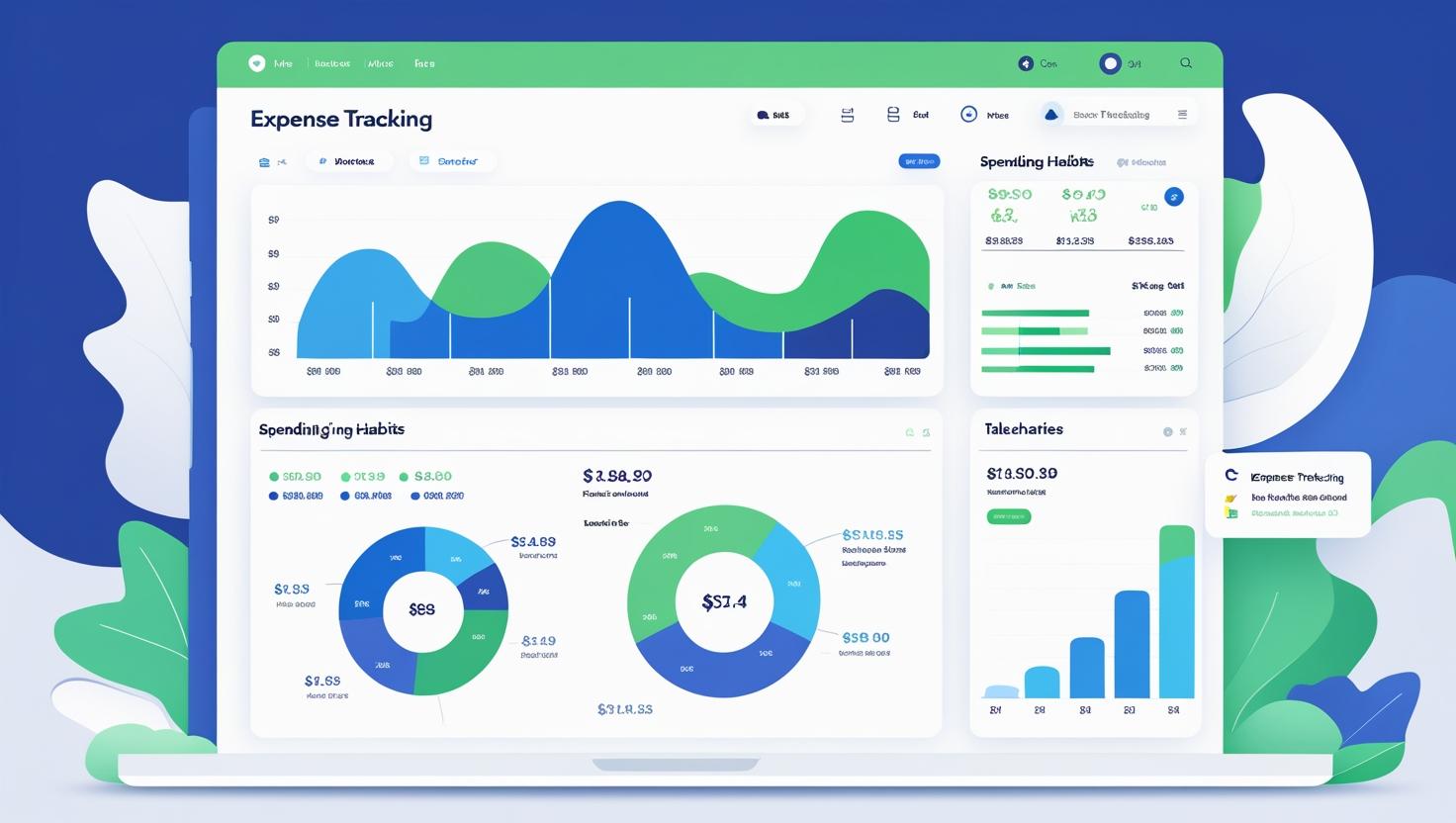
Expert Tips for Maximizing Your Expense Software Investment
Simply purchasing and installing expense software isn’t enough to guarantee success. To truly transform your expense management and achieve the desired ROI, you need a strategic approach to implementation, adoption, and ongoing optimization. Here are some expert tips to help you get the most out of your chosen solution.
1. Plan Your Implementation Meticulously
A successful rollout starts with careful planning:
- Define Clear Objectives: What specific problems are you trying to solve? What does success look like (e.g., X% reduction in processing time, Y% improvement in policy compliance)?
- Involve Stakeholders: Get input from finance, IT, and representatives of end-users from various departments. This builds buy-in and ensures the configuration meets diverse needs.
- Configure Policies Thoroughly: Take the time to accurately translate your company’s expense policies into the software’s rule engine. This is the foundation of automated compliance.
- Pilot Program: Before a full company-wide rollout, conduct a pilot with a small group of users. This helps identify any issues, gather feedback, and refine the configuration.
- Data Migration: If you’re moving from an old system, plan how historical data (if needed) will be migrated.
2. Train Your Team Effectively
User adoption is critical. Even the most intuitive software requires some training:
- Tailored Training: Provide different training sessions for different user groups (e.g., submitters, approvers, finance admins). Focus on the features relevant to their roles.
- Multiple Formats: Offer training in various formats – live workshops, webinars, video tutorials, quick reference guides, and FAQs.
- Hands-On Practice: Allow users to practice in a test environment before going live.
- Highlight Benefits: Emphasize how the new software will make their lives easier (e.g., faster reimbursements, less paperwork). This helps overcome resistance to change.
- Appoint Champions: Identify power users or enthusiasts within departments who can act as local champions, offering peer support and encouragement.
3. Develop and Communicate Clear Expense Policies
Your software will enforce your policies, but those policies need to be clear, fair, and well-communicated:
- Document Everything: Maintain an up-to-date, easily accessible expense policy document.
- Keep it Simple: Avoid overly complex rules that are hard to understand or follow.
- Explain the “Why”: Help employees understand the reasons behind certain policies (e.g., compliance, budget control).
- Regularly Review and Update: Business needs change, so review and update your expense policies periodically. Communicate any changes clearly.
4. Regularly Review and Optimize Usage
Expense management is not a “set it and forget it” process:
- Monitor Key Metrics: Use the software’s analytics to track processing times, policy compliance rates, spending patterns, and user adoption.
- Gather Feedback: Regularly solicit feedback from users about their experience with the software and the process.
- Identify Bottlenecks: Look for areas where a process is slow or causing frustration. Can a workflow be adjusted? Is more training needed?
- Stay Updated on Features: Software vendors regularly release new features and improvements. Stay informed and explore how these updates can benefit your organization.
5. Leverage Automation Features to Their Fullest
Modern expense software is packed with automation capabilities. Make sure you’re using them:
- Automated Reminders: For late submissions or pending approvals to keep the process moving. This parallels the benefits of automated payment reminders in invoicing.
- Recurring Expenses: Set up recurring expenses for predictable costs.
- Automated GL Coding: Configure rules to automatically assign expense categories to general ledger codes, saving the finance team significant time.
- Audit Rule Automation: Set up rules to automatically flag expenses for audit based on certain criteria (e.g., high value, specific vendors, out-of-policy attempts).
By actively managing and optimizing your use of expense software, you ensure it continues to deliver value and adapt to your evolving business needs. This proactive approach, combined with a robust financial framework that includes efficient invoicing practices such as embracing paperless invoicing, will significantly strengthen your company’s financial operations.
The Role of Solvision in Your Financial Tech Stack
While this guide focuses on choosing expense software, it’s crucial to see expense management as one component of a larger financial ecosystem. No single tool typically handles every aspect of business finance. Instead, savvy businesses in June 2025 build a “tech stack” of integrated solutions. This is where Team Solvision, with its expertise in invoicing and payments software, plays a vital complementary role to your chosen expense management system.
Solvision is dedicated to streamlining and optimizing the critical financial workflows that drive your business forward. While you might select a specialized tool for tracking employee expenses, Solvision offers robust solutions for how your business generates revenue, manages client billing, and ensures timely payments – all of which are intrinsically linked to overall financial health and informed by accurate expense data.
Beyond Invoicing: A Comprehensive Approach by Solvision
Solvision provides more than just basic invoicing. Their platform is designed to be a central hub for many aspects of your financial interactions with clients and your internal financial tracking. Visiting the Solvision homepage gives a glimpse into their comprehensive offerings. Their focus is on creating efficiency, accuracy, and professionalism in your financial dealings. This philosophy aligns perfectly with the goals of implementing good expense software – to bring clarity and control to your finances.
Seamless Integration for Unparalleled Efficiency
The true power of a financial tech stack lies in integration. Imagine a scenario: an employee incurs a project-related expense, which is captured by your expense software. If this expense is billable to a client, the data should ideally flow into your invoicing system without manual re-entry. Solvision’s systems are built with integration in mind. By ensuring your expense software can communicate with Solvision’s invoicing platform (or your accounting software, which then syncs with Solvision), you can achieve:
- Faster, more accurate client billing: Reimbursable expenses are quickly and correctly added to client invoices.
- Reduced administrative overhead: Eliminating manual data transfer saves time and minimizes errors.
- Improved cash flow: Quicker billing leads to quicker payments.
- Enhanced project profitability tracking: By combining project-related expense data with invoicing data, you get a clearer picture of each project’s financial performance.
The following table showcases how integrating expense software with Solvision’s invoicing tools can create significant benefits:
Table 3: Benefits of Integrating Expense Software with Solvision’s Invoicing
Benefit |
Description |
Solvision Feature/Aspect |
|---|---|---|
| Accurate Reimbursable Billing | Ensures all client-billable expenses captured by the expense system are accurately reflected on invoices. | Professional invoice creation, itemization capabilities. |
| Streamlined Data Flow | Automates the transfer of expense details to the invoicing stage, reducing manual entry and errors. | Integration capabilities (direct or via accounting software). |
| Improved Cash Flow Cycle | Faster inclusion of expenses in invoices leads to quicker dispatch and, potentially, faster payment. | Efficient invoice generation and dispatch; payment tracking. |
| Enhanced Project Costing | Provides a clearer view of total project costs (including expenses) against billed amounts. | Ability to manage multiple projects and detailed invoicing. |
| Reduced Administrative Burden | Minimizes the time spent by finance or admin staff manually collating expense data for billing. | Automation in invoice creation and management. |
| Better Client Transparency | Clearly itemized expenses on invoices build trust and reduce client queries. | Clear, professional invoice templates and detailed line items. |
Embracing Digital Workflows and Paperless Invoicing
Solvision champions modern, digital approaches to financial management, including a strong advocacy for paperless invoicing. This aligns perfectly with the digital transformation that expense software brings. By moving both expense management and invoicing to digital platforms, your business can significantly reduce paper consumption, storage costs, and manual handling, contributing to both efficiency and environmental responsibility.
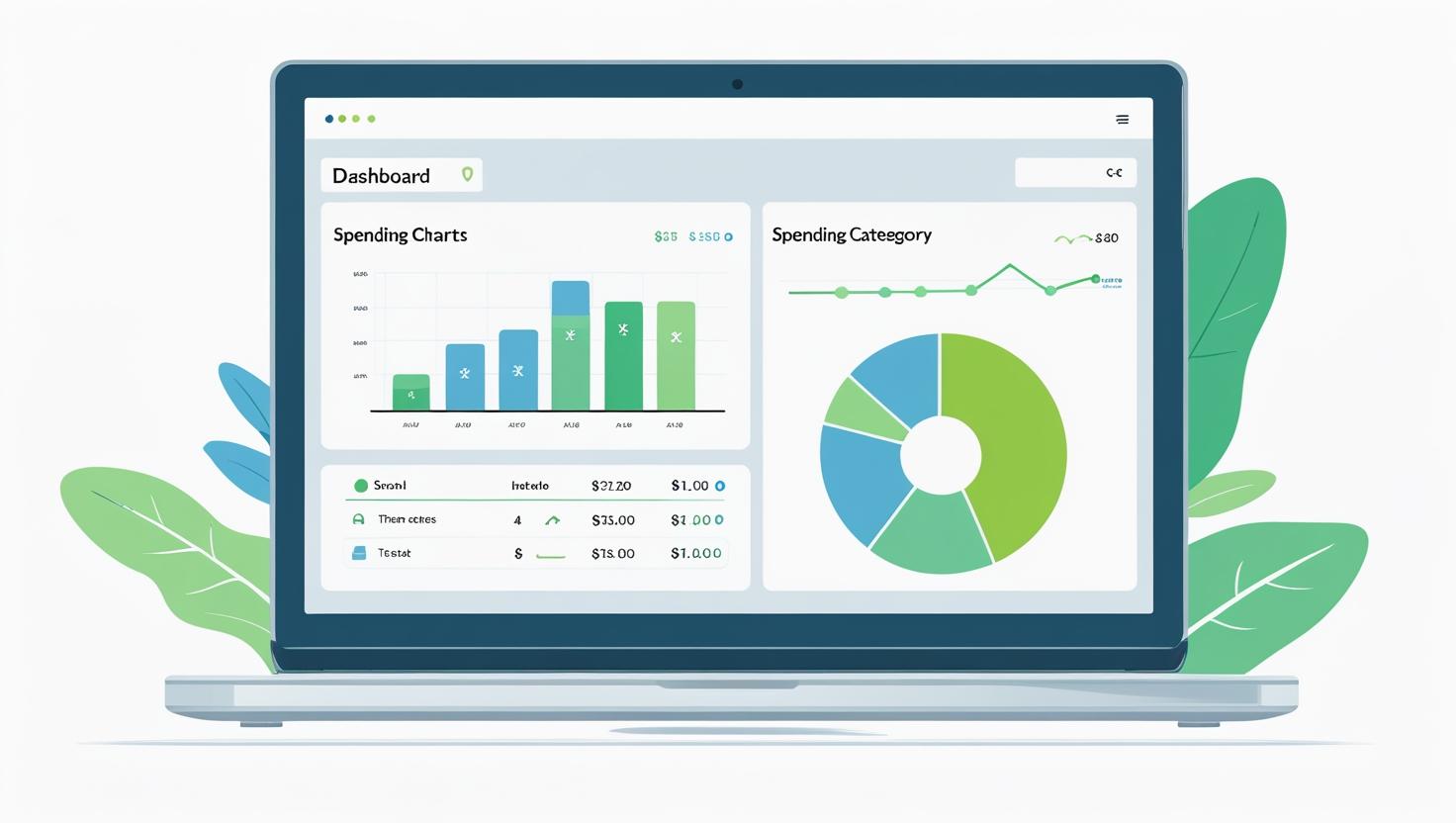
A complete financial tech stack, with best-in-class expense software working hand-in-hand with Solvision’s powerful invoicing and payment solutions, provides a robust framework for financial control and growth in June 2025.
Trends in Expense Management for June 2025 and Beyond
The world of expense management is continuously evolving, driven by technological advancements and changing business needs. As you select and implement software in June 2025, it’s wise to be aware of the emerging trends that will shape this landscape in the coming years. This foresight can help you choose a solution that is not only effective today but also future-proof.
1. AI and Machine Learning (AI/ML) Proliferation
AI is no longer a buzzword but a core technology revolutionizing expense management. Expect to see even more sophisticated AI applications:
- Smarter Categorization & Coding: AI will learn user behavior and company policies to automate expense categorization and general ledger coding with even greater accuracy.
- Advanced Anomaly & Fraud Detection: AI algorithms will become more adept at identifying subtle patterns of out-of-policy spending or potential fraud that humans might miss.
- Predictive Analytics: AI will enable more accurate forecasting of future expenses based on historical data and trends, aiding in better budget planning.
- Conversational Interfaces: Voice commands and chatbots for submitting expenses, checking policy, or querying report status will become more common.
2. Mobile-First and Anytime, Anywhere Access
The shift towards remote and hybrid work models will continue to drive the demand for robust, fully-functional mobile expense management. Employees expect to handle all aspects of expense reporting – from receipt capture to submission and approval – seamlessly from their smartphones or tablets, regardless of their location.
3. Hyper-Automation
Beyond basic task automation, hyper-automation involves orchestrating multiple technologies (AI, RPA, process mining) to automate as much of the end-to-end expense process as possible. This includes automated policy updates based on regulatory changes, proactive budget alerts, and even automated reimbursement processing under certain conditions.
4. Increased Focus on Sustainability and ESG
Businesses are increasingly conscious of their Environmental, Social, and Governance (ESG) impact. Expense management software will play a role by:
- Tracking Carbon Footprint: Integrating tools to calculate the carbon emissions associated with travel expenses.
- Promoting Sustainable Choices: Potentially guiding employees towards more eco-friendly travel and purchasing options.
- Supporting Paperless Processes: Reinforcing the move away from paper receipts and reports, aligning with broader paperless office initiatives like those Solvision supports.
5. Deeper Integration and Embedded Finance
Expense management functionalities will become more deeply embedded within other platforms (e.g., corporate cards, travel booking tools, ERPs, and even communication platforms like Slack or Teams). The goal is a more connected and invisible expense management experience, where data flows effortlessly between systems.
6. Enhanced Data Analytics for Strategic Insights
The value of expense data for strategic decision-making will be increasingly recognized. Future software will offer more powerful and user-friendly analytics tools, allowing finance leaders to easily:
- Identify granular cost-saving opportunities.
- Negotiate better rates with preferred vendors.
- Optimize travel and expense policies for maximum ROI.
- Improve budget accuracy and forecasting.
The table below summarizes some of these key future trends:
Table 4: Future Trends in Expense Management
Trend |
Description |
Potential Impact |
|---|---|---|
| AI & Machine Learning | Advanced categorization, fraud detection, predictive analytics, conversational UI. | Increased accuracy, efficiency, proactive controls, and user convenience. |
| Mobile-First Approach | Full-featured mobile apps for all expense tasks, anytime, anywhere. | Enhanced productivity for remote/traveling employees, faster submissions. |
| Hyper-Automation | Orchestration of multiple technologies to automate end-to-end processes. | Significant reduction in manual intervention, near real-time processing. |
| Sustainability & ESG Focus | Tracking carbon footprint, promoting eco-friendly choices, paperless advocacy. | Supports corporate responsibility goals, potential cost savings. |
| Deeper Integration & Embedded Finance | Expense functions embedded in other platforms for seamless data flow. | More intuitive user experience, improved data sharing, holistic financial view. |
| Enhanced Data Analytics | Powerful, user-friendly tools for strategic insights from expense data. | Better cost control, optimized spending, improved financial planning. |
By keeping these trends in mind, you can select an expense software vendor that is forward-thinking and investing in these areas, ensuring your chosen solution remains relevant and valuable for years to come. This proactive stance mirrors Solvision’s commitment to leveraging technology to provide cutting-edge invoice processing solutions and financial management tools.
Solvision’s Commitment to Streamlining Your Business Finances
At Solvision, we understand that managing expenses is just one piece of the complex puzzle that is business finance. Our core commitment is to provide businesses, from freelancers to growing enterprises, with the tools and solutions they need to streamline their overall financial operations, enhance efficiency, and achieve greater control. While you seek out the perfect dedicated expense software, remember that Solvision stands ready to optimize your invoicing, payment collection, and client financial interactions, creating powerful synergies for your company.
Our suite of tools is designed to address the critical aspects of your revenue cycle and financial documentation. We believe that by automating and simplifying these processes, businesses can free up valuable time and resources to focus on growth and core activities. From creating professional quotes that seamlessly convert to invoices using our Quote & Estimate Creator, to diligently tracking billable hours with our Time Tracking Tool, Solvision aims to bring precision and ease to your financial workflows.
Effective financial management also means staying on top of your receivables. That’s why we offer solutions like Automated Payment Reminders and a comprehensive Dunning Management Tool to help you reduce overdue invoices and maintain a healthy cash flow. Visibility is another cornerstone of our offerings; our Invoice Tracking system lets you monitor the status of every invoice, from sent to viewed to paid.
We are passionate about helping businesses achieve impeccable invoice accuracy and embrace efficient paperless invoicing practices. Whether you need a reliable employed invoice template or are looking for broader invoice processing solutions, Solvision is your partner.
We encourage you to learn more about our comprehensive services and how they can complement your chosen expense management strategy. Stay connected with us and get the latest updates and tips by following Solvision on Facebook. Our goal is to support your entire financial journey.
Conclusion: Charting Your Course to Expense Management Excellence
Choosing the best expense software in June 2025 is a significant step towards optimizing your business’s financial health and operational efficiency. As we’ve explored, this decision requires careful consideration of your unique needs, a thorough understanding of available features, and a strategic approach to implementation and ongoing management. The right software will not only save you time and money but also provide invaluable insights, enhance compliance, and empower your team.
Remember that expense management, while crucial, is part of a larger financial ecosystem. By integrating your chosen expense solution with robust invoicing and payment systems, like those offered by Team Solvision, The Invoicing and Payments Software, you can create a truly streamlined and powerful financial workflow. Solvision’s commitment to providing efficient, accurate, and user-friendly financial tools makes us an ideal partner in your journey towards comprehensive financial control.
We encourage you to leverage the insights and expert tips shared in this guide to make an informed decision. Take the time to evaluate your options, involve your team, and choose a solution that will not only meet your current needs but also scale with your future growth. As you refine your expense processes, consider how Solvision’s suite of invoicing and payment solutions can further enhance your financial operations, ensuring that both your expenditures and revenues are managed with maximum efficiency and professionalism.
Take control of your business finances today. Explore Solvision’s offerings and discover how we can help you build a stronger, more resilient financial future.
Frequently Asked Questions (FAQs)
1. What are the first steps to choosing expense software?
The first steps involve clearly defining your business needs and objectives. Assess your current expense management pain points, determine the number of users, estimate your report volume, and identify essential features like receipt scanning, approval workflows, and integration with your accounting software. It’s also crucial to set a budget and research vendors that cater to businesses of your size and industry. Consider reading guides like this one on free invoicing apps to get a sense of different solution tiers if you’re a very small business.
2. How can Solvision help my business even if it’s not a dedicated expense tracking software?
Solvision specializes in invoicing and payment solutions, which are critical complements to expense management. Once expenses are tracked (especially those billable to clients), Solvision ensures they are accurately and professionally invoiced. Our tools for quote creation, time tracking, payment reminders, and invoice tracking streamline your revenue cycle. Integrating your expense data with Solvision’s platform (often via your accounting software) provides a more holistic view of your company’s financial health and improves overall operational efficiency.
3. Why is mobile access so important for expense software in June 2025?
In June 2025, with many professionals working remotely, traveling frequently, or operating in the field, mobile access is paramount. Employees need to capture receipts, submit expense reports, and approve expenses on the go using their smartphones or tablets. A robust mobile app increases the speed of submissions and approvals, improves compliance (as receipts are captured immediately), and enhances user convenience, leading to higher adoption rates and more timely expense data.
4. How do I ensure my team adopts new expense software successfully?
Successful adoption hinges on several factors:
- Choose user-friendly software: An intuitive interface is key.
- Provide comprehensive training: Tailor training to different user roles and offer various learning resources.
- Communicate clearly: Explain the benefits of the new system and how it makes their jobs easier. Address concerns proactively.
- Involve users early: If possible, get user feedback during the selection process or pilot phase.
- Offer ongoing support: Have champions or support resources available to help users post-launch.
- Lead by example: Ensure management and team leaders actively use and endorse the new software.
5. What are the benefits of integrating expense management with invoicing tools like those from Solvision?
Integrating expense management with invoicing tools, such as Solvision’s, offers significant benefits:
- Accurate Client Billing: Ensures all reimbursable expenses are captured and correctly billed to clients.
- Streamlined Workflows: Automates data transfer between systems, reducing manual entry and errors.
- Faster Reimbursement & Payment Cycles: Speeds up the process from expense incurrence to client payment.
- Improved Financial Visibility: Provides a clearer picture of project profitability and overall cash flow by linking costs directly to revenues via tools that manage invoice tracking.
- Reduced Administrative Overhead: Saves time for finance and administrative staff.
WHY CHOOSE OUR TEAM SOLVISION – THE INVOICING SOFTWARE? |
CONTACT INFORMATION |
|---|---|
|
|