


Key Takeaways:
- An invoice is a request for payment, sent *before* money changes hands. It details goods/services provided, the amount due, and payment terms.
- A receipt is proof of payment, issued *after* a transaction is completed and funds have been received.
- Invoices establish a legal obligation to pay, while receipts confirm the fulfillment of that obligation.
- Both are crucial for accounting, tax reporting, and managing business relationships.
- Solvision offers comprehensive solutions to streamline both invoicing and receipt management, ensuring accuracy and efficiency for your business.
Understanding the Basics: What Exactly is an Invoice?
Let’s start with the big one: the invoice. Simply put, an invoice is a commercial document issued by a seller to a buyer, requesting payment for goods or services that have been provided. It’s essentially a bill, a formal record of a sales transaction that outlines what the buyer owes and why.
Imagine you’re a freelance graphic designer. You’ve just completed a stunning new logo for a client. Before you get paid, you’ll send them an invoice. This document tells them exactly what work you did, how much it costs, and when they need to pay you. It creates a legal obligation for the client to compensate you for your work.
Purpose and Key Elements of an Invoice
The primary purpose of an invoice is to request payment and provide a clear record of the transaction for both the seller and the buyer. It’s vital for your accounting system, helping you track sales, manage accounts receivable, and accurately report income for tax purposes. For your clients, it’s a detailed breakdown of their expenditure.
A well-structured invoice typically includes:
- A unique invoice number: For easy tracking and referencing.
- Date of issue: When the invoice was created.
- Seller’s details: Your business name, address, and contact information.
- Buyer’s details: The client’s name, address, and contact information.
- Description of goods/services: A detailed list of what was provided.
- Quantity and unit price: For each item or service.
- Total amount due: The final sum the client needs to pay.
- Payment terms: Due date, accepted payment methods, and any late payment penalties.
- Taxes: Any applicable VAT, sales tax, or other levies.
At Solvision, we know creating professional and accurate invoices can be time-consuming. That’s why we offer tools like our best free invoice generator UK, designed to make this process seamless. We even have professional self-employed invoice templates for hours worked, ensuring you capture every detail.
When is an Invoice Used?
Invoices are used in virtually all business-to-business (B2B) transactions and many business-to-consumer (B2C) scenarios where payment isn’t immediate. Common situations include:
- Providing services (e.g., consulting, creative work, repairs).
- Selling goods on credit or with deferred payment terms.
- Subscription services, where regular billing is required (and Solvision has free recurring billing systems to help!).
- Project-based work with milestones or progress payments.
Essentially, any time you deliver a product or service and expect to be paid later, an invoice is your go-to document. Our AI invoice generator can even help automate this, making your financial life so much easier!
Element |
Description |
Importance |
|---|---|---|
| Invoice Number | Unique identifier for tracking. | Essential for record-keeping and avoiding duplicates. |
| Issue Date | Date the invoice was created. | Determines payment due date and reporting periods. |
| Seller & Buyer Info | Full legal names, addresses, contact details. | Identifies parties involved in the transaction. |
| Description of Items/Services | Detailed list of goods or services provided. | Clarifies exactly what is being charged for. |
| Quantity & Unit Price | Number of items/hours and cost per unit. | Enables accurate calculation of subtotals. |
| Subtotal & Total Amount Due | Sum before and after taxes/discounts. | The final amount the client needs to pay. |
| Payment Terms | Due date, accepted payment methods, late fees. | Sets expectations for payment and prevents delays. |
| Tax Details (e.g., VAT) | Applicable tax rates and amounts. | Crucial for tax compliance and accurate pricing. |
| Bank Details (for transfers) | Account number, sort code (or equivalent). | Facilitates direct bank payments. |
Unpacking the Receipt: More Than Just Proof of Payment
Now, let’s turn our attention to the receipt. While an invoice is a request for payment, a receipt is concrete proof that payment has been made and received. It’s the final step in a transaction, confirming that the buyer’s obligation to pay has been fulfilled.
Think back to our freelance designer example. Once the client pays your invoice, you would then issue them a receipt (or their payment confirmation would serve as one). This document confirms that the transaction is complete, and the funds have successfully transferred from their account to yours.
Purpose and Key Elements of a Receipt
The main purpose of a receipt is to provide proof of purchase and payment. For the buyer, it’s essential for expense tracking, budgeting, and potentially for returns or warranty claims. For the seller, it serves as proof of income and a record of the completed sale, vital for accounting and tax reconciliation.
A typical receipt includes:
- Seller’s details: Business name and contact information.
- Date and time of transaction: When the purchase was made.
- Items purchased: A list of goods or services.
- Amount paid: The total sum received.
- Payment method: How the payment was made (cash, card, bank transfer).
- Transaction ID: A unique reference for the specific payment.
Even for businesses handling many small transactions, efficient receipt management is crucial. Solvision’s robust invoice management system can help you integrate and manage both invoices and proof of payments seamlessly.
When is a Receipt Used?
Receipts are issued immediately after a payment is made. This could be:
- After a cash purchase in a retail store.
- When a credit card payment is processed online or in person.
- Upon receiving payment for an invoice (which might be automatically generated by an automated invoice processing software).
- Any situation where money changes hands, and the buyer needs official confirmation.
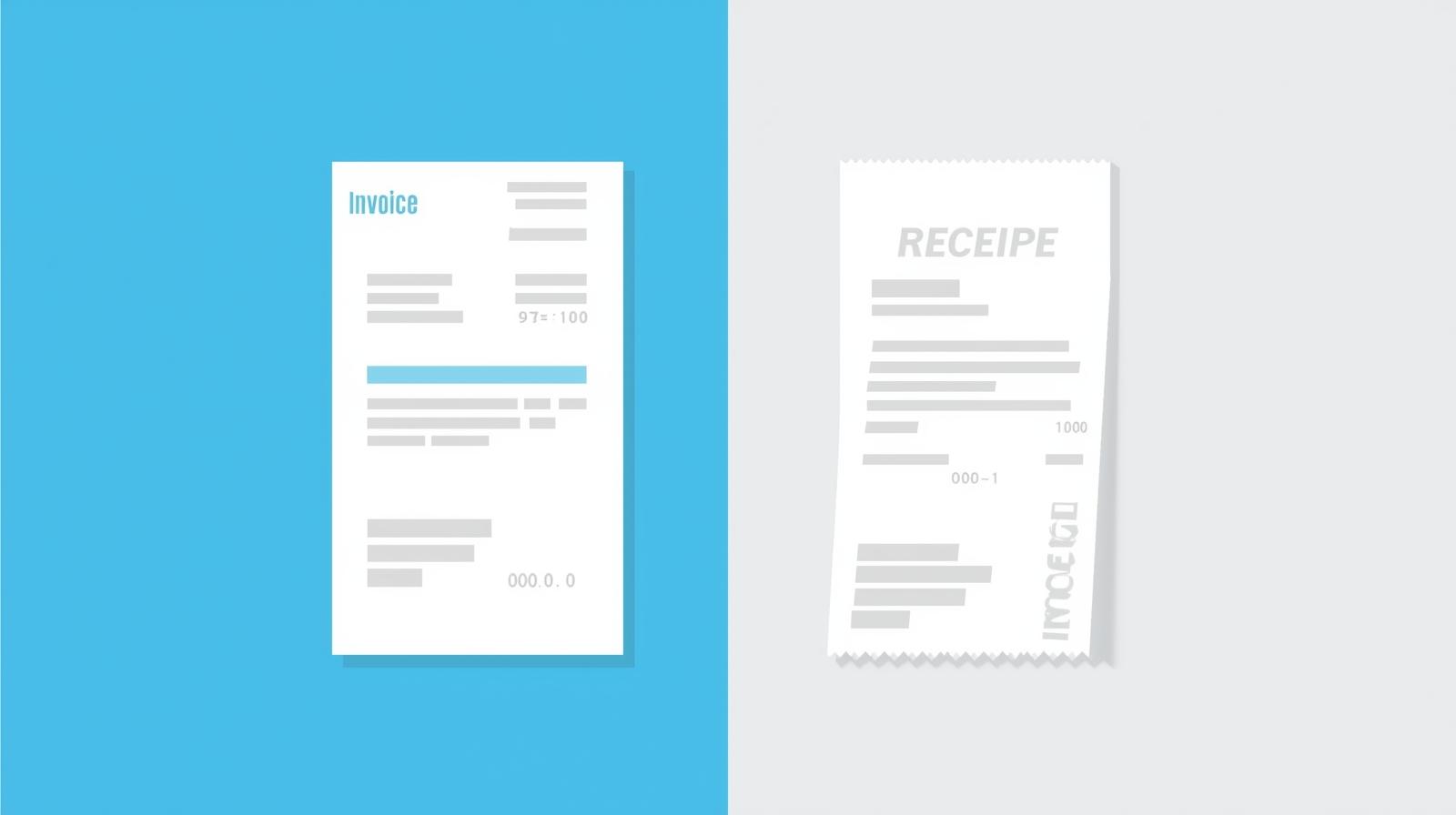
They are fundamental for both personal and business finance, serving as the ultimate verification that a debt has been cleared or a purchase completed.
Element |
Description |
Importance |
|---|---|---|
| Seller’s Info | Business name and contact details. | Identifies who received the payment. |
| Date & Time of Transaction | When the payment was processed. | Crucial for accurate financial records and returns. |
| Items/Services Purchased | List of goods or services that were paid for. | Confirms what the payment covers. |
| Total Amount Paid | The exact sum received. | Confirms the amount settled. |
| Payment Method | Cash, credit card, bank transfer, etc. | Useful for reconciliation and dispute resolution. |
| Transaction ID/Reference | Unique code for the specific payment. | Aids in tracking and verifying payments. |
The Core Differences: Invoice vs. Receipt – A Side-by-Side Comparison
Now that we’ve looked at each document individually, let’s lay out their key differences clearly. This is where the rubber meets the road for every smart business owner.
The easiest way to remember the distinction is by their timing and purpose:
- Invoice: Sent before payment, requesting money owed.
- Receipt: Issued after payment, confirming money received.
But it goes deeper than just timing. Their legal standing, accounting implications, and the information they carry are also distinct.
Feature |
Invoice |
Receipt |
|---|---|---|
| Purpose | Request for payment for goods/services rendered. | Proof of payment for goods/services received. |
| Timing | Sent before payment is made. | Issued after payment is received. |
| Legal Status | Creates a legal obligation to pay. | Confirms a legal obligation has been fulfilled. |
| Content Focus | Details services, quantities, prices, payment terms. | Confirms amount paid, payment method, date of payment. |
| Direction | Seller to Buyer. | Seller to Buyer (or Buyer receives from Seller). |
| Accounting Role | Used for accounts receivable, revenue recognition. | Used for expense tracking, proof of income, audit trails. |
| Tax Implications | Basis for calculating sales tax/VAT to be charged. | Proof for claiming business expenses, reconciling income. |
| Examples | Bill for consulting services, utility bill, rent statement. | Supermarket slip, online purchase confirmation, credit card transaction record. |

Why These Differences Matter to Your Business
Understanding the distinction between an invoice and a receipt isn’t just about financial jargon; it has real, tangible impacts on the health and compliance of your business.
For Cash Flow and Accounts Management
An invoice is your primary tool for managing accounts receivable. It clearly states how much you’re owed and when it’s due, giving you a roadmap for your incoming cash. Without proper invoicing, you can’t accurately predict your cash flow, which is the lifeblood of any business. Tools like Solvision’s accounts receivable automation can revolutionize how you manage this.
Receipts, on the other hand, confirm that those receivables have turned into actual cash. They are critical for reconciling your bank statements and ensuring all payments have been recorded correctly. For your expenses, receipts are the proof you need to track your outgoings accurately, helping you stick to budgets and identify areas for cost-saving.
For Tax and Auditing Purposes
This is where the distinction becomes legally significant. HMRC (or relevant tax authorities) requires accurate records for both income and expenses. An invoice provides the necessary documentation for your sales, allowing you to correctly report your revenue and calculate any applicable taxes like VAT. If you’re a UK business, our invoice generator free UK by Solvision is tailor-made for your needs.
For expenses, receipts are non-negotiable. They are your proof of purchase, allowing you to claim legitimate business expenses and reduce your taxable income. Without a receipt, it’s much harder to justify an expense during an audit. Imagine the nightmare of an audit without proper documentation for every single business transaction – that’s why robust systems like Solvision’s automated invoice processing software are a game-changer.
For Dispute Resolution and Customer Relationships
Clear invoices prevent misunderstandings. If a client disputes a charge, a detailed invoice provides an undeniable record of the services provided and the agreed-upon costs. Similarly, receipts offer proof of payment, resolving any potential claims of unpaid invoices quickly and efficiently, maintaining trust and good client relationships.
Having a robust system that handles both documents, such as Solvision’s comprehensive integrated business software solutions, means you’re always prepared, always compliant, and always professional.
Solvision’s Approach to Streamlining Invoicing and Receipts
At Solvision, we’re passionate about making financial management simpler, more accurate, and less stressful for business owners like you. Our suite of tools and services is designed to handle both the proactive nature of invoicing and the reactive necessity of receipt management.
Intelligent Invoice Creation and Management
Gone are the days of manual invoice creation and chasing payments. With Solvision, you can create professional invoices in minutes. Our best free invoice app for small businesses and freelancers is a testament to our commitment to accessibility and efficiency. Whether you’re a solo entrepreneur or a growing SME, we have solutions:
- AI-Powered Invoice Generation: Our Solvision’s AI Invoice Generator automates the creation process, minimizing errors and saving you valuable time.
- Customizable Templates: From professional self-employed invoice templates to specific formats like the ultimate free commercial invoice template for Word, we ensure your invoices look polished and professional.
- Automated Reminders: Our systems, including advanced dunning management tools, can automatically send payment reminders, improving your cash flow without you lifting a finger.
- Integration with Other Tools: Seamlessly integrate invoicing with quotes, estimates, and even inventory control through our accounting software with inventory control.
Effortless Receipt and Expense Management
While we primarily focus on the invoicing side, our comprehensive platforms inherently support robust receipt and expense management. Once an invoice is paid through our system, the payment record acts as an instant digital receipt. This ensures a complete audit trail and simplifies reconciliation.
- Digital Record Keeping: All your paid invoices and associated payment confirmations are stored securely, making it easy to access them for accounting or tax purposes. This aligns with the principles of automated invoice processing software.
- Expense Categorization: Although more on the invoice side, our integrated systems allow for better understanding of your financial movements, which directly impacts how you categorize and manage incoming and outgoing funds, linking closely to the concept of expenses confirmed by receipts.
- Reporting and Analytics: Gain insights into your financial health with detailed reports generated from your complete transaction records, helping you make informed business decisions.
Our goal is to provide top free invoicing solutions for UK businesses and beyond, ensuring that whether you’re sending an invoice or logging a receipt, you have the right tools at your fingertips.

Practical Scenarios: When to Use Which
Let’s look at a few real-world examples to cement your understanding:
Scenario 1: Freelancer Completes a Project
- Invoice: A freelance writer finishes a blog post for a client. They send an invoice detailing their services (e.g., “1 x 1000-word blog post on ‘Invoice vs Receipt'”), rate, and the total amount due, with a 14-day payment term. This is their formal request for payment.
- Receipt: Two weeks later, the client pays the invoice. The writer’s Solvision system automatically marks the invoice as paid and generates a payment confirmation (digital receipt) for the client, confirming the transaction is complete.
Scenario 2: Retail Purchase
- Invoice: A customer orders a bespoke piece of furniture from a local carpenter, requiring a 50% deposit upfront and the remaining balance upon delivery. The carpenter issues an invoice for the total cost, clearly showing the deposit paid and the outstanding balance.
- Receipt: When the customer pays the 50% deposit, the carpenter gives them a receipt for that specific payment. Upon final delivery and full payment, another receipt for the remaining balance is issued, or a single receipt reflecting the total payment is provided, marking the invoice as fully paid.
Scenario 3: SaaS Subscription
- Invoice: A small business signs up for a year-long subscription to Solvision’s premium invoicing software. At the beginning of the subscription period, Solvision sends them an invoice for the annual fee, outlining the service and payment due date. This can be handled by our free recurring billing systems.
- Receipt: Once the business’s payment is processed, an automated email confirmation (receipt) is sent, confirming the successful payment and renewal of their subscription.
See how each document plays a distinct, yet equally important, role? They work in tandem to create a comprehensive financial record.
Common Misconceptions Debunked
It’s easy to get these mixed up, so let’s bust some common myths:
- Myth: An invoice is just a fancy receipt.
- Reality: Absolutely not! An invoice is a demand for payment, while a receipt acknowledges payment. One comes before, the other after. They are fundamentally different in their legal and accounting functions.
- Myth: You only need one or the other.
- Reality: Both are essential. An invoice secures your income, and a receipt proves it’s been received (for you) and paid (for your customer). You need both for robust financial management and tax compliance.
- Myth: Digital invoices/receipts aren’t as valid as paper ones.
- Reality: In most modern jurisdictions, digital versions, when properly generated and stored (like those from Solvision’s free invoice generator), are just as legally valid as physical copies. They’re often more secure and easier to track.
Optimizing Your Financial Workflow with Solvision
The goal isn’t just to understand invoices and receipts; it’s to manage them efficiently. Manual processes are prone to errors, delays, and can be a massive time sink. This is where Solvision truly shines.
By leveraging our software to make invoices and manage payments, you can:
- Automate Invoicing: Generate invoices rapidly, schedule recurring ones, and send them out without manual intervention. Our top 10 free invoicing platforms showcase just how much you can automate.
- Streamline Payment Tracking: Automatically mark invoices as paid once funds are received, creating instant digital receipts and updating your accounts in real-time. This is the power of cloud-based invoicing.
- Enhance Accuracy: Reduce human error with standardized templates and automated calculations, ensuring your financial records are always precise.
- Improve Cash Flow: With clear payment terms, automated reminders, and efficient processing, you’ll see money coming in faster. Tools like our dunning management tool are specifically designed for this.
- Simplify Tax Preparation: All your financial data is organized and easily accessible, making tax season a breeze.
- Gain Business Insights: Access reports on your sales, outstanding payments, and financial performance, helping you make smarter strategic decisions. This is part of the integrated business software solutions Solvision offers.
Whether you’re exploring free invoice apps or looking for a comprehensive invoice and quote software solution, Solvision is here to support your growth. Our platforms are designed with small businesses and freelancers in mind, offering expert-reviewed no-cost solutions that truly make a difference.
Metric/Area |
Before Solvision |
With Solvision |
Benefit |
|---|---|---|---|
| Invoice Creation Time | Hours per week | Minutes per week | Significant time savings, increased productivity. |
| Payment Collection Rate | Variable, often delayed | Improved by up to 30% | Enhanced cash flow and reduced late payments. |
| Error Rate in Invoices | Up to 10-15% | Less than 1% | Increased accuracy, fewer disputes, professional image. |
| Compliance Assurance | Manual checks, high risk | Automated, low risk | Peace of mind during audits and tax season. |
| Access to Financial Reports | Delayed, often outdated | Real-time, on-demand | Better decision-making and strategic planning. |
| User Satisfaction (Internal) | Frustration with manual tasks | High, streamlined processes | Happier team, more focus on core business. |
Conclusion: Empowering Your Business with Financial Clarity
Understanding the fundamental differences between an invoice and a receipt is more than just academic; it’s a cornerstone of sound financial management for any business owner. While an invoice sets the stage for payment, detailing what’s owed and why, a receipt is the final act, confirming that the payment has been successfully made. Both are indispensable for accurate accounting, seamless tax compliance, and maintaining healthy customer relationships.
Trying to navigate these financial documents manually can be a daunting task, consuming valuable time and opening the door to costly errors. This is precisely where Team Solvision steps in. Our advanced invoicing and payments software solutions are designed to simplify your financial operations, from generating professional invoices with our free invoicing software for freelancers to managing your entire payment ecosystem with an automated invoice processing software.
By choosing Solvision, you’re not just getting software; you’re gaining a partner committed to your financial clarity and business growth. We help you automate the mundane, minimize errors, and gain real-time insights into your cash flow, allowing you to focus on what you do best – growing your business. Don’t let financial confusion hold you back. Explore Solvision’s tools today and transform your invoicing and payment processes into a smooth, efficient, and stress-free experience.
FAQs: Invoice vs Receipt Explained by Solvision
Q1: Can an invoice also serve as a receipt?
A: No, not typically. An invoice is a request for payment, sent *before* money changes hands. A receipt is proof of payment, issued *after* the payment has been received. While a paid invoice might be marked as “Paid,” the actual confirmation of the money transaction is the receipt. Some integrated systems, like Solvision’s, can automatically generate a receipt or payment confirmation once an invoice is paid, effectively linking the two.
Q2: Why is it crucial for my small business to keep both invoices and receipts?
A: Keeping both is vital for several reasons. Invoices are essential for tracking your accounts receivable, ensuring you get paid for your services, and accurately reporting your income. Receipts, on the other hand, are critical proof of payment for your expenses, allowing you to claim tax deductions and properly reconcile your bank statements. Both protect you during audits and help maintain a clear financial picture for strategic decision-making.
Q3: What happens if I lose a receipt for a business expense?
A: Losing a receipt for a business expense can be problematic for tax purposes. Without it, you might struggle to claim that expense, potentially increasing your taxable income. While some exceptions might exist (e.g., bank statements as secondary proof for small amounts), it’s always best to have the original receipt. Solvision’s digital record-keeping features aim to minimize this risk by securely storing your transaction confirmations.
Q4: Does Solvision’s software help manage both invoices and receipts?
A: Absolutely! Solvision offers comprehensive solutions that streamline both invoicing and the management of payments, which directly relates to receipts. Our software allows you to generate professional invoices, track their status, and automatically record payments. When an invoice is paid through our system, it creates a digital record, serving as proof of payment (receipt) for both you and your client, ensuring a complete and organized financial trail. You can explore our ultimate invoice management system for more details.
Q5: Are there any legal differences between invoices and receipts I should be aware of?
A: Yes, there are significant legal differences. An invoice creates a legal obligation for the buyer to pay the seller for goods or services delivered according to the agreed terms. It’s a legally binding request for payment. A receipt, conversely, serves as legal proof that a financial obligation has been fulfilled and payment has been successfully made. Both documents can be crucial evidence in case of disputes, audits, or tax investigations, making their accurate creation and retention paramount.